Your peering front door
Every organization gets a public, branded peering page — your ASN, policy, IXP presence and contacts — where operators sign in with PeeringDB and request peering at one or all your shared exchanges in a click. The same verified workflow major networks use, on your own domain.
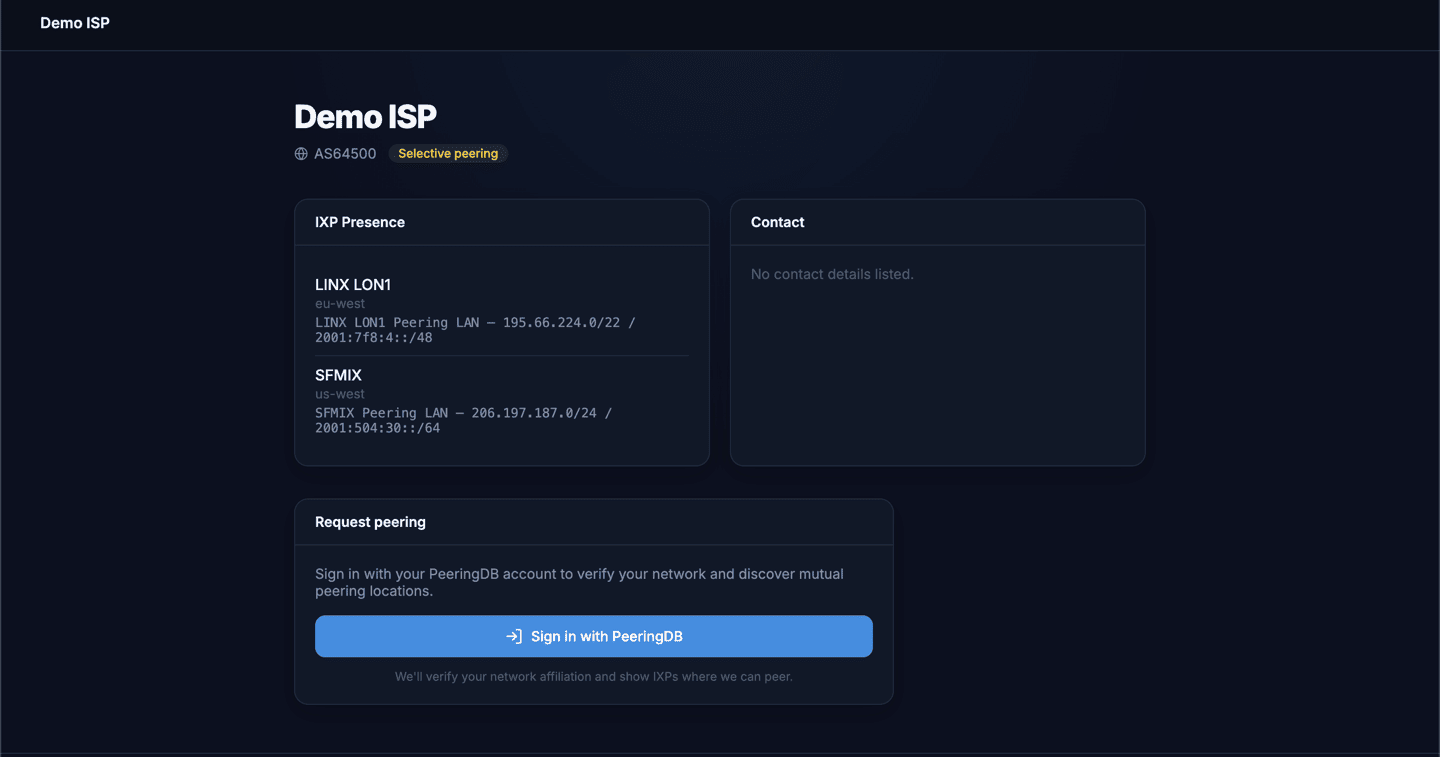
A professional page, not a contact form
Your portal shows everything a peer needs to decide in seconds — and nothing they have to email you for.
- Organization, ASN and logo — your brand, front and center.
- Peering policy — open, selective or restrictive, with a clear badge.
- IXP presence — every exchange and LAN subnet you're on.
- Contacts — NOC email, website, phone.
- Sign in with PeeringDB — the verified request button.
Find co-members, track every request
PeeringDB-driven suggestions from the networks already on your IXPs, and one place to follow every request in and out.
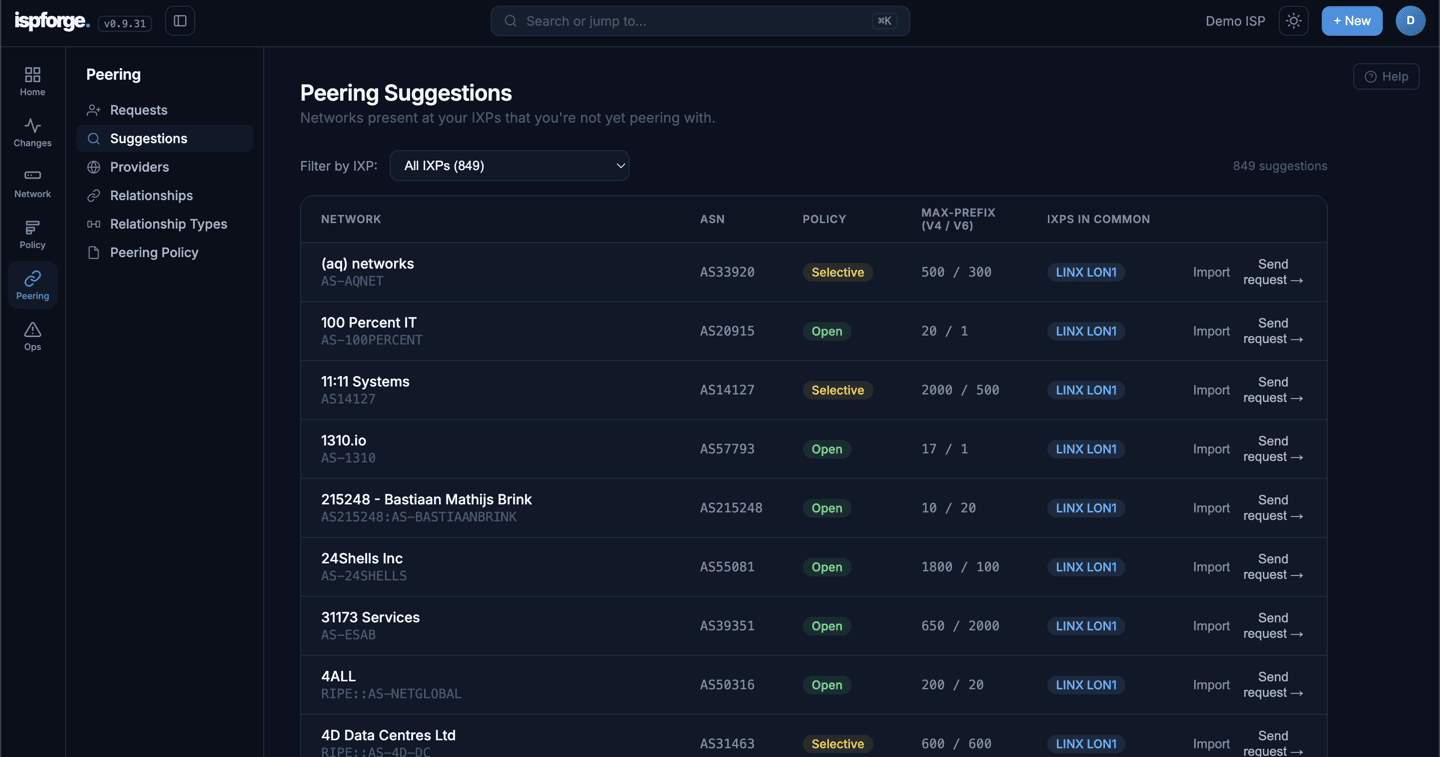
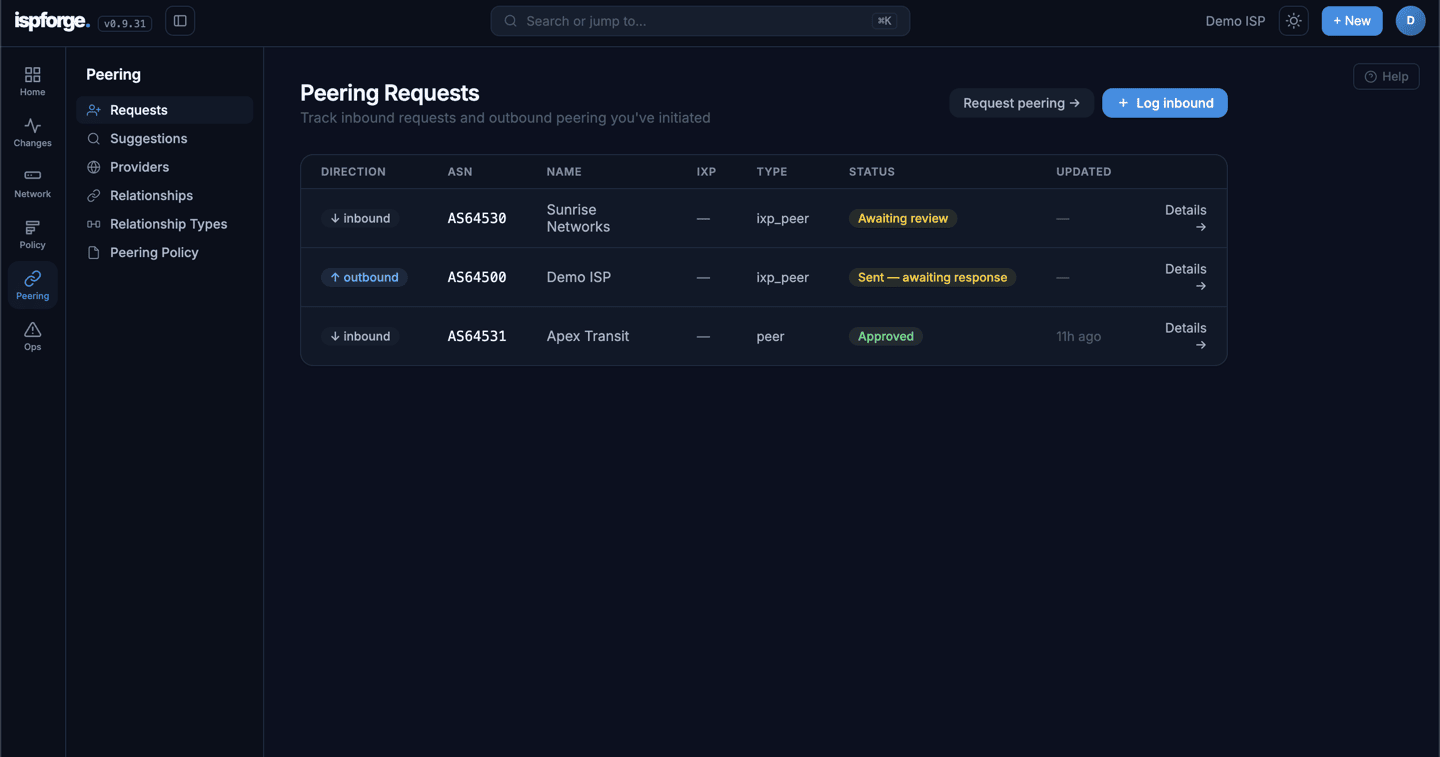
Every request from a confirmed operator
When a peer clicks Sign in with PeeringDB, they authenticate via PeeringDB OAuth2. ispforge verifies their network affiliation, discovers your mutual IXP locations, and lets them request peering at one — or all — shared exchanges in a single click. No more unverified emails from mystery ASNs.
Runs on your brand, feeds your dashboard
Your domain, auto-TLS
Point peering.yourdomain.net at ispforge with a CNAME — a TLS certificate is provisioned automatically via Let's Encrypt. Apex domains work too.
Email, parsed for you
Forward your peering@ address to your ispforge inbox and any peering email is parsed straight into an inbound request — the peer's details, ready to accept or decline.
Magic-link requests
Send requests from suggestions or by hand; the peer gets a link to see your ASN, policy and proposed IPs and accept or decline in one click.
Give your network a peering front door
Spin up a free account, upgrade when you're ready, and point your peering domain at ispforge in minutes.